 Audio-SyncListening tool in your browser
Follow Luxembourgish audio word by word
Add a recording and Audio-Sync writes out what is said, then lights up each word as it plays. Tap a word you don’t know to see its LOD entry, and play the recording again from that word.
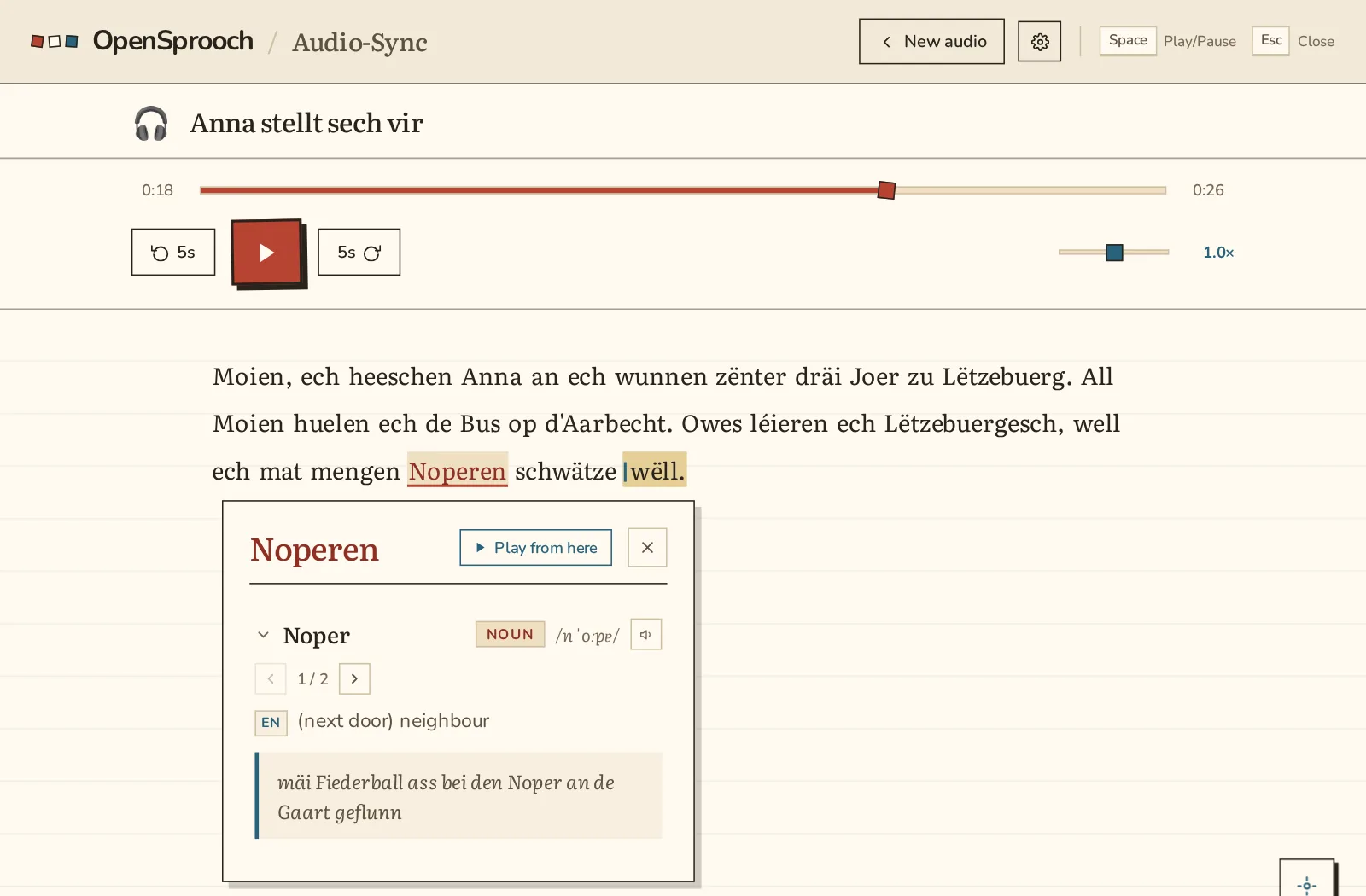
- the word you hear, lit up
- tap any word for its real LOD entry
What you’ll see
Screenshots of the Audio-Sync app from this site, opensprooch.lu/audio-sync. It uses the same paper and ink as this site, with the transcript set large so it is easy to follow.
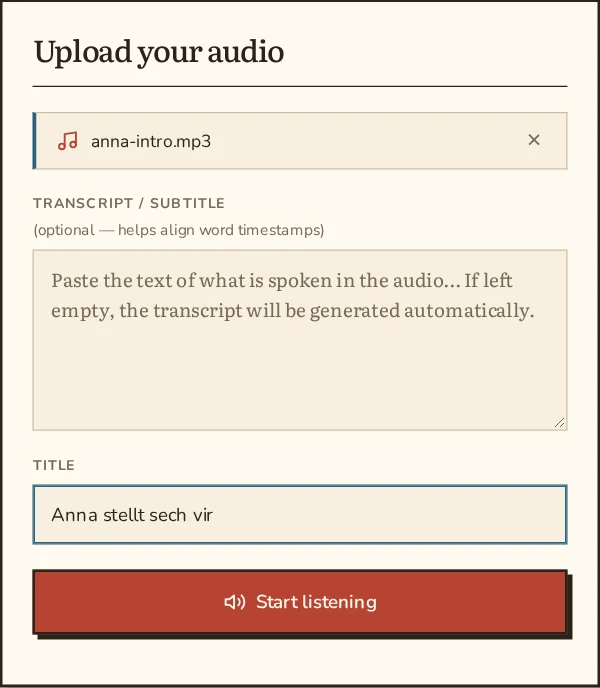
Drop in a recording
The page opens on this panel. Drop an audio file on it or choose browse. MP3, FLAC, WAV, OGG, M4A and AAC all work.
If you have the text of the recording, paste it into Transcript / subtitle. Audio-Sync keeps your spelling and line breaks and lines the timings up with your words. Without it, the text is generated for you.
Good for: the audio and script from your Sproochcours workbook, if you’re allowed to upload them.
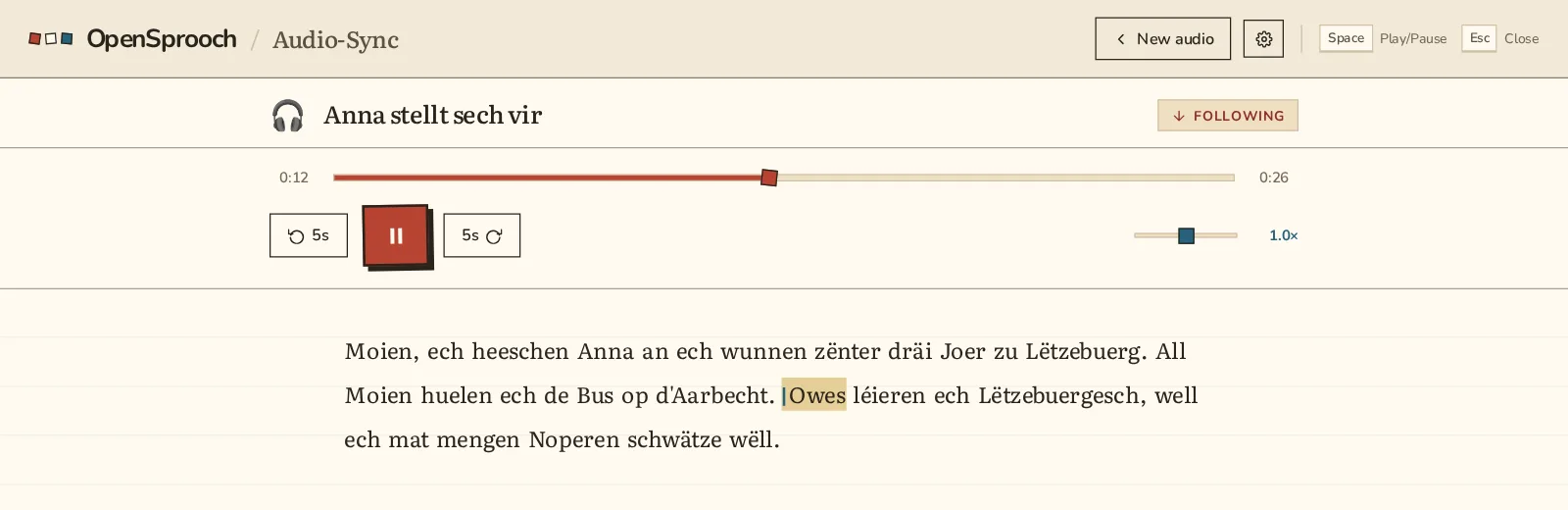
Each word lights up as it’s said
The transcript scrolls with the audio and the current word is highlighted. Jump back 5 seconds to hear a phrase again, or slow down to 0.5× for a fast speaker.
Try shadowing: at 0.75×, pause after each sentence with Space, say it aloud, then go back 5 seconds and compare.
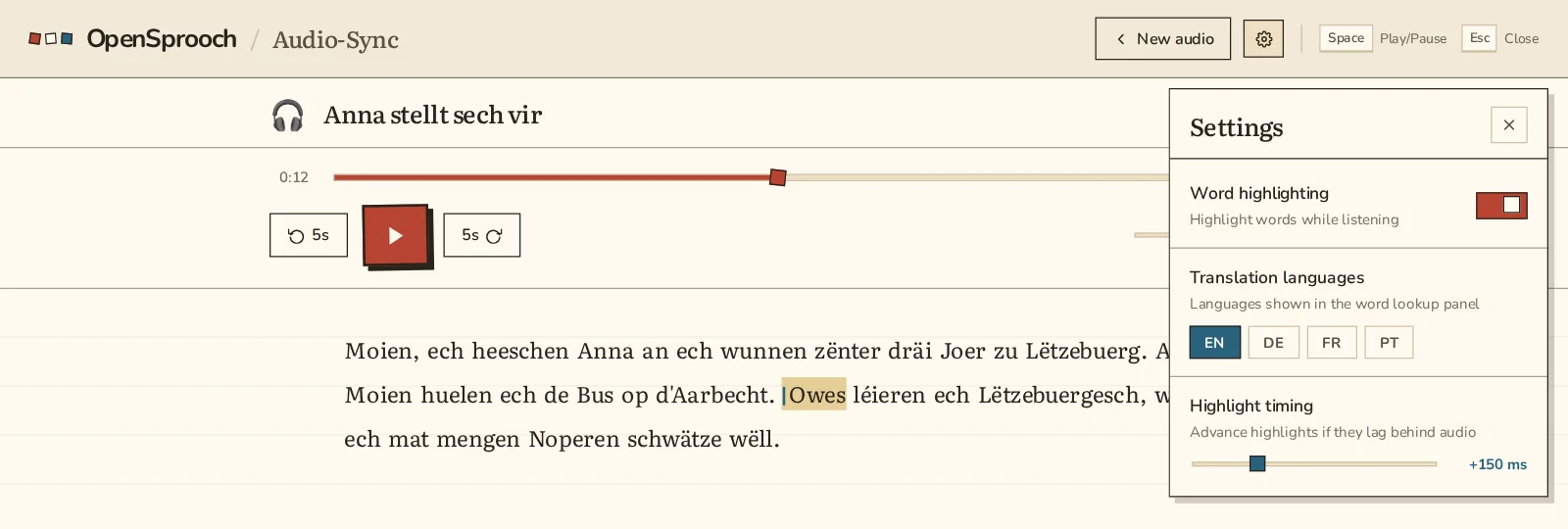
Settings
Translation languages decides what the word panel shows: English by default, and German, French or Portuguese if you add them.
If the highlight trails behind the voice, move Highlight timing up to 600 ms earlier. You can also turn highlighting off and just read.
Settings are saved in your browser for next time.
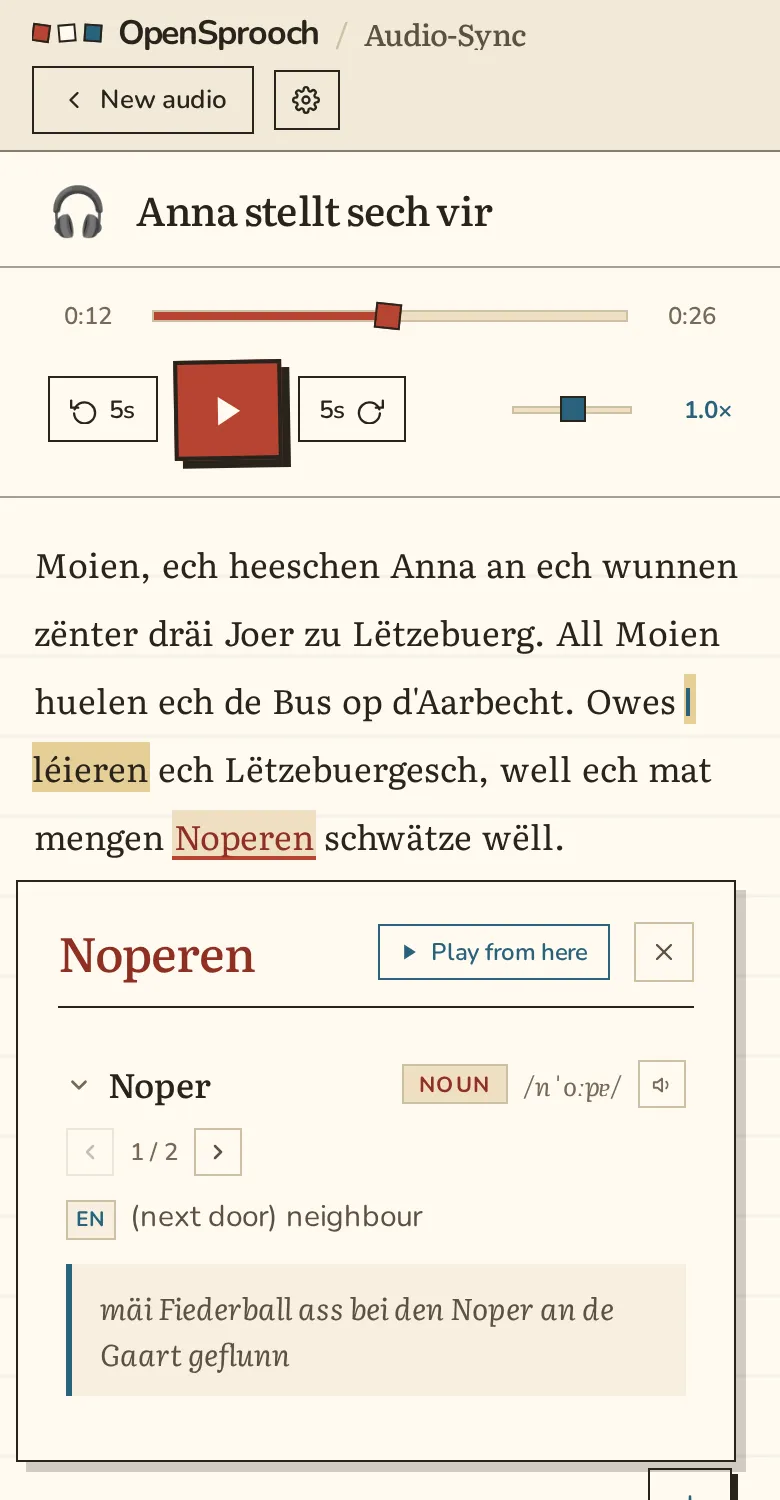
The same app on your phone
There’s nothing to install. Open the page in your phone’s browser, add a voice memo or a podcast clip, and listen on the bus.
Words are big enough to tap, and the word panel fits the screen.
All four screens are the real interface, captured on 27 Nov 2026. The speech-to-text reply (transcript and word timings) was written by us and answered in the browser, so no recording was transcribed. The phone screen shows a live LOD entry.
How to use it
It runs in any modern browser on a computer or a phone. You need a connection, because the recording is transcribed online.
Open Audio-Sync
Go to opensprooch.lu/audio-sync. There’s no sign-up.
Add a recording, and its text if you have it
Drop the file on the panel and give it a title if you like. Pasting the text is optional, but it keeps your spelling exactly as written.
Press Start listening
Your audio is uploaded to a Luxembourgish speech-to-text service, which returns every word with a timestamp. If no result arrives after about two minutes, Audio-Sync stops waiting and says so.
Follow along and tap the words you don’t know
The word panel shows the LOD entry with its pronunciation and translations. Play from here replays the recording from that word.
- Space
- Play or pause
- ← →
- Go back or forward 5 seconds, on the progress bar
- Esc
- Close the word panel
Run your own copy
Audio-Sync is plain HTML and JavaScript with no build step. Serve it over HTTP, because its modules don’t load from a file:// address.
git clone https://github.com/OpenSprooch/opensprooch.lu.git
cd opensprooch.lu
python3 -m http.server 8000
# then open http://localhost:8000/audio-sync/
Your copy still uses the hosted speech-to-text and dictionary services.
Where your audio goes
- Uploaded
- Your recording, and the text if you paste it, to the speech-to-text service at sproochentestsimulator-api.easier.tools. The page opens a session with that service as soon as it loads, before you upload anything.
- Looked up
- Words you tap, through a LOD proxy at sproochentestsimulator-lod-api.easier.tools.
- Kept on your device
- Finished transcripts and timings in IndexedDB, and your settings in localStorage.
- Formats
- MP3, FLAC, WAV, OGG, M4A and AAC.
Where does my audio go?
It is uploaded to an external Luxembourgish speech-to-text service to make the transcript. Don’t upload recordings you aren’t allowed to share.
The page also loads a small storage library from jsDelivr, fonts from Google, and Google Tag Manager, which sets no analytics cookies unless you accept them.
Do I need the text of the recording?
No. Without it, the transcript is generated for you. With it, your own words and line breaks are kept and the timings are aligned to them.
The highlight is a little late. Can I fix it?
Yes. In Settings, move Highlight timing to the right. It shifts the highlight up to 600 ms earlier. The default is 150 ms.
Will it remember my recording?
The transcript and its timings are kept in your browser, so opening the same file again doesn’t upload it a second time. The audio itself isn’t stored.
Where do the translations come from?
From LOD, the Luxembourgish online dictionary. Audio-Sync is an independent project; the dictionary content belongs to LOD and its rights holders.
 LODVault
 LOD-MCP