 LODVaultBrowser extension for lod.lu
Keep every word you look up on lod.lu
LODVault adds a small bar to each word page of the Luxembourgish online dictionary. Save the word, write a note, and review it later with flashcards that know when you’re about to forget.
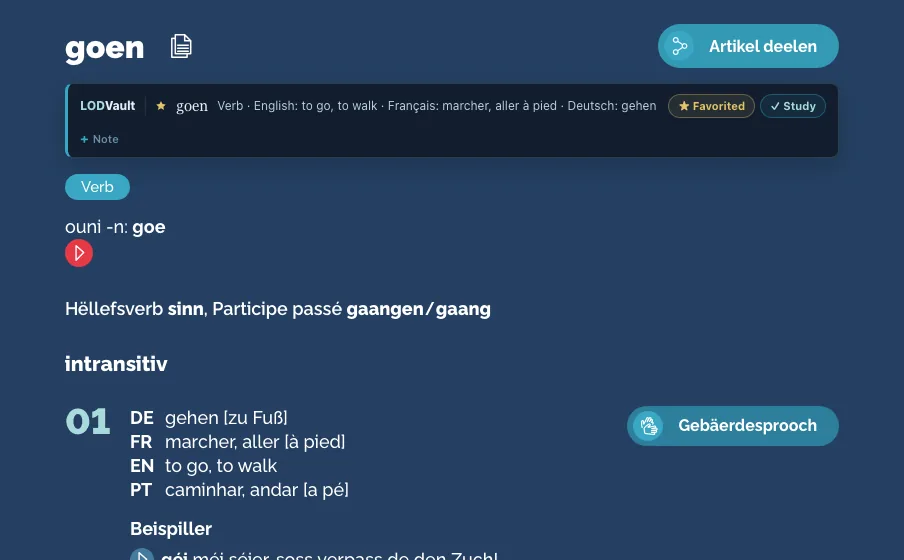
- one click: it’s in your vault
- jot down where you heard it
Beyond the dictionary page
The bar on lod.lu is where words come in. These are the places they go next. The pictures come from the LODVault repository and use its sample words.
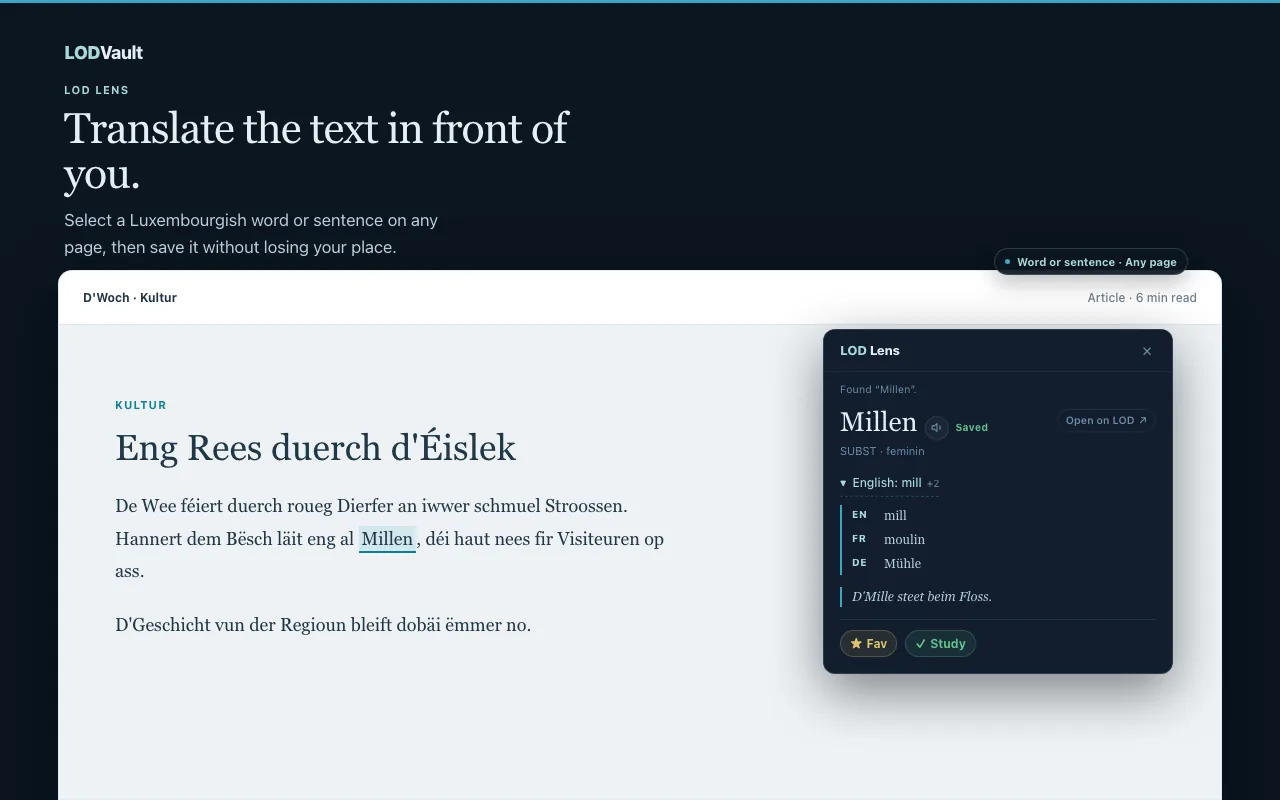
LOD Lens, on any page you allow
Reading a Luxembourgish article? Select a word or a sentence and LOD Lens shows the LOD entry in a small panel, without leaving the page. Save it to Study from there.
Try: select a word and press Alt+Shift+L. The first time, LODVault asks permission for that one site.
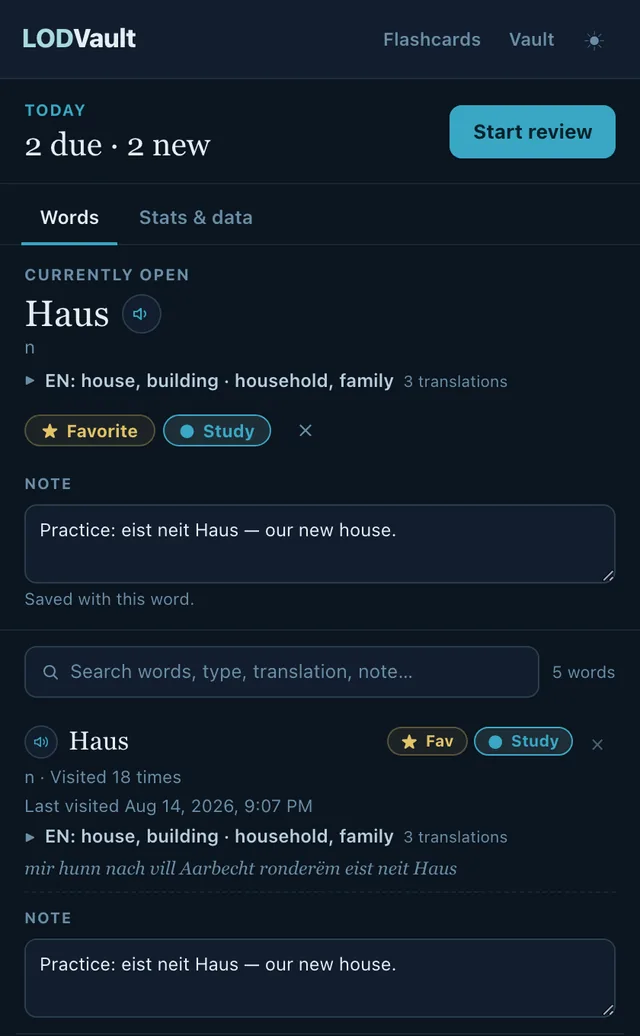
Today’s reviews, one click away
The toolbar popup opens on Today: how many words are due, how many are new, and a button to start. Below it is the word you have open, with its note, and a search over everything you’ve saved.
Stats & data holds your streak, sync, backups and exports.
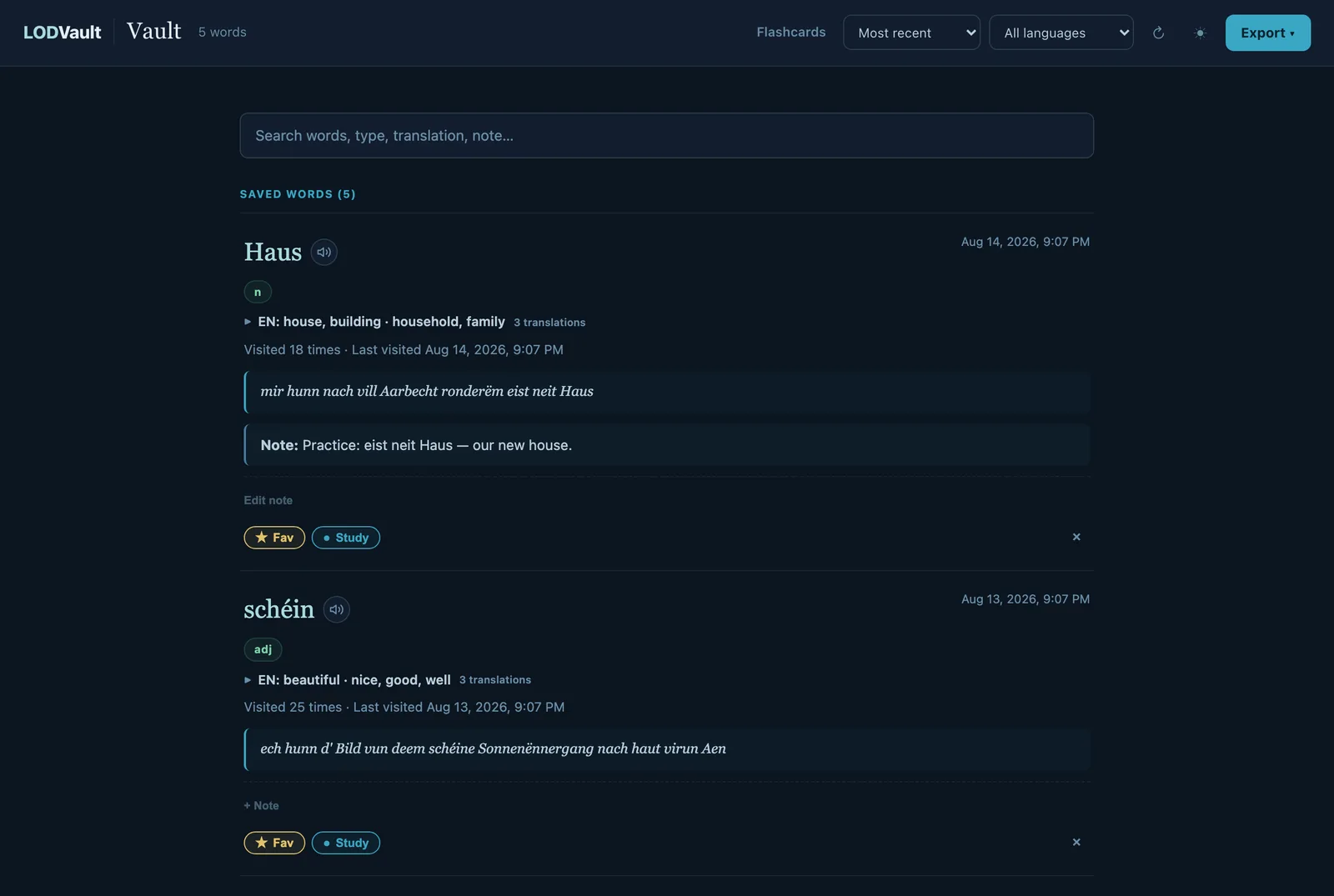
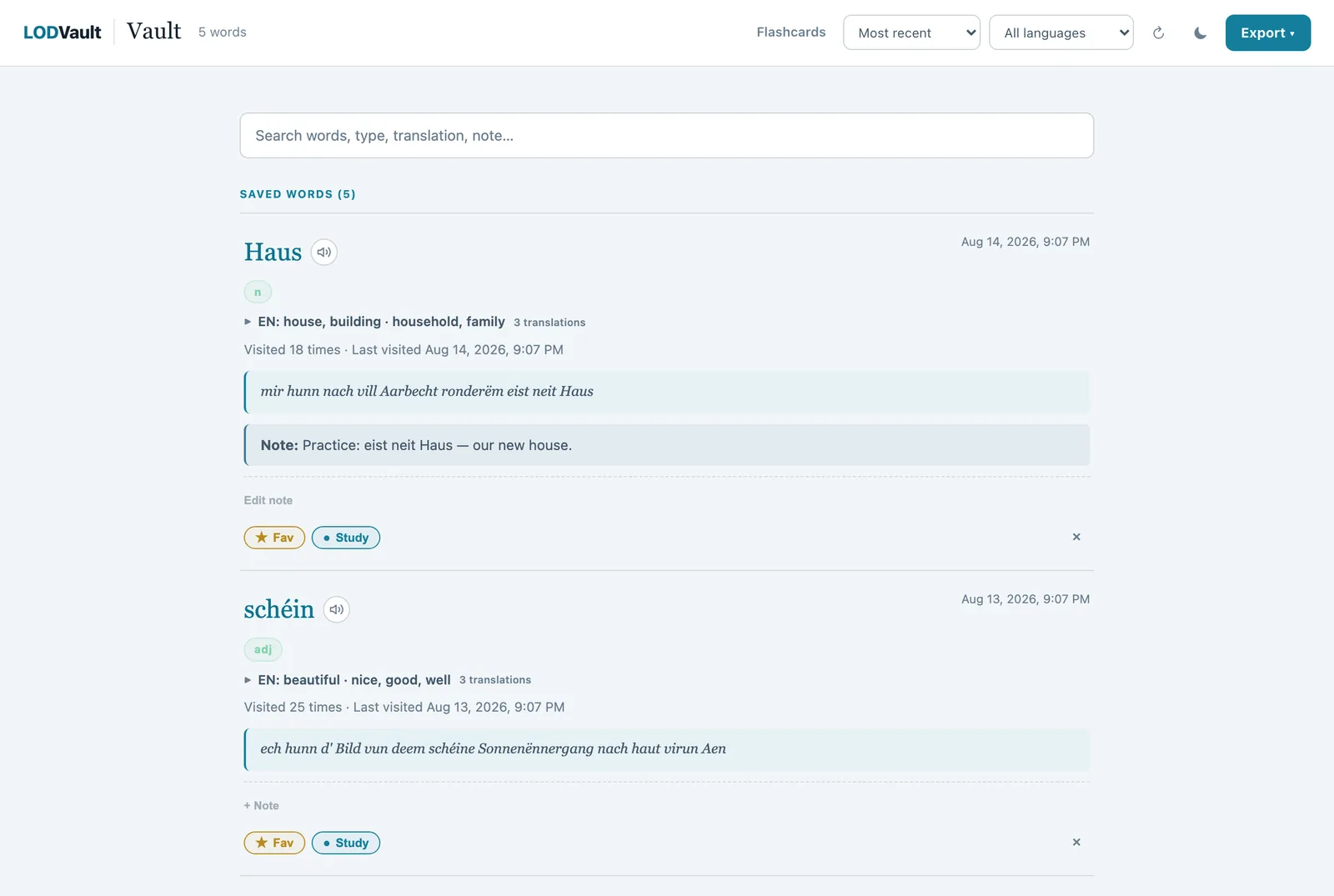
Your vault, searchable
Every saved word with its translations, an example from LOD and your note. Search across all of it, filter by language, add tags and save decks.
Export downloads your words as a web page or as a file for Anki.
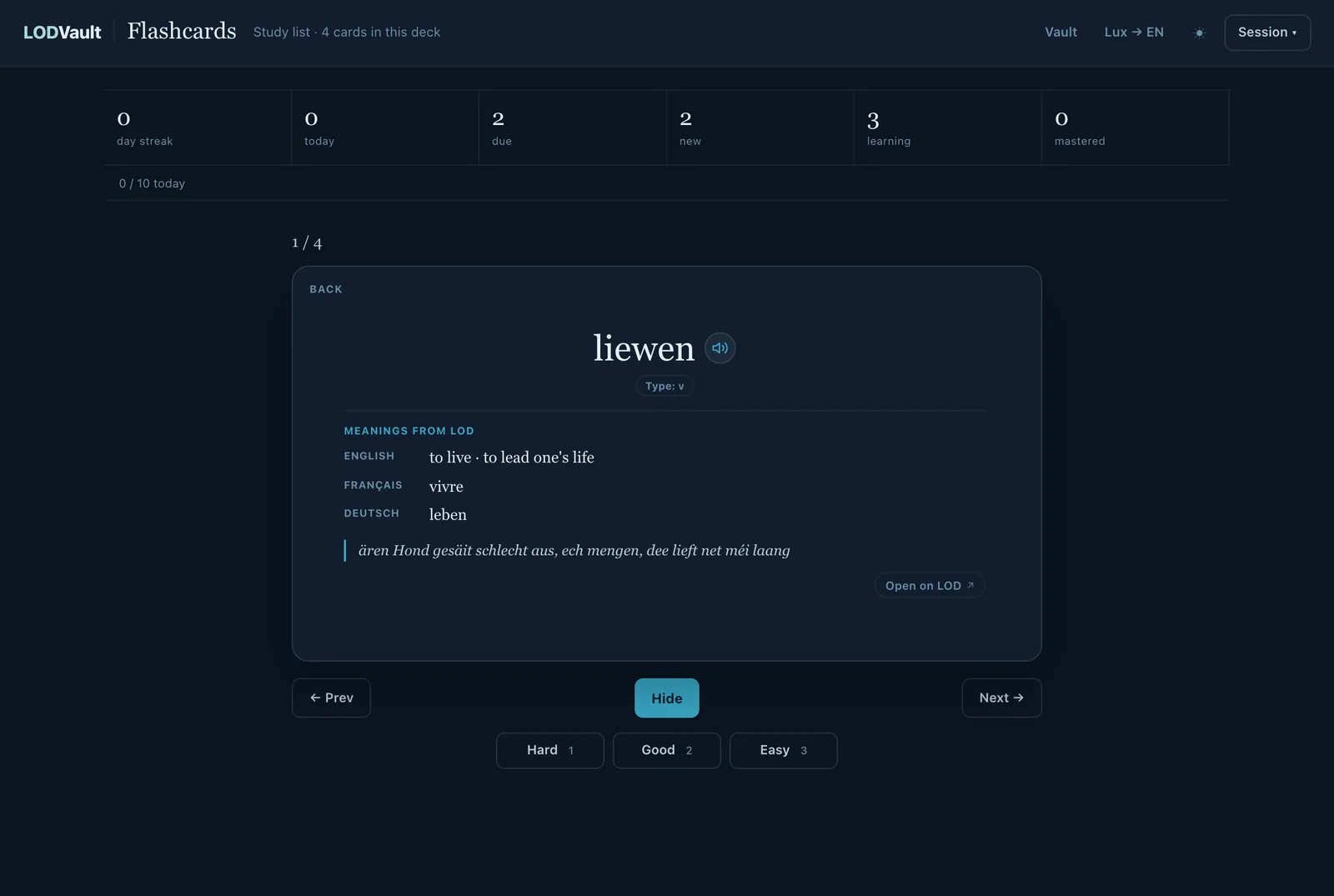
Flashcards that space themselves
Review the words you marked for Study. Grade each card from the keyboard, and LODVault schedules the next review with FSRS-5, the same model Anki uses.
Other modes ask you to type the word, pick from a list, fill a gap, or choose the right article.
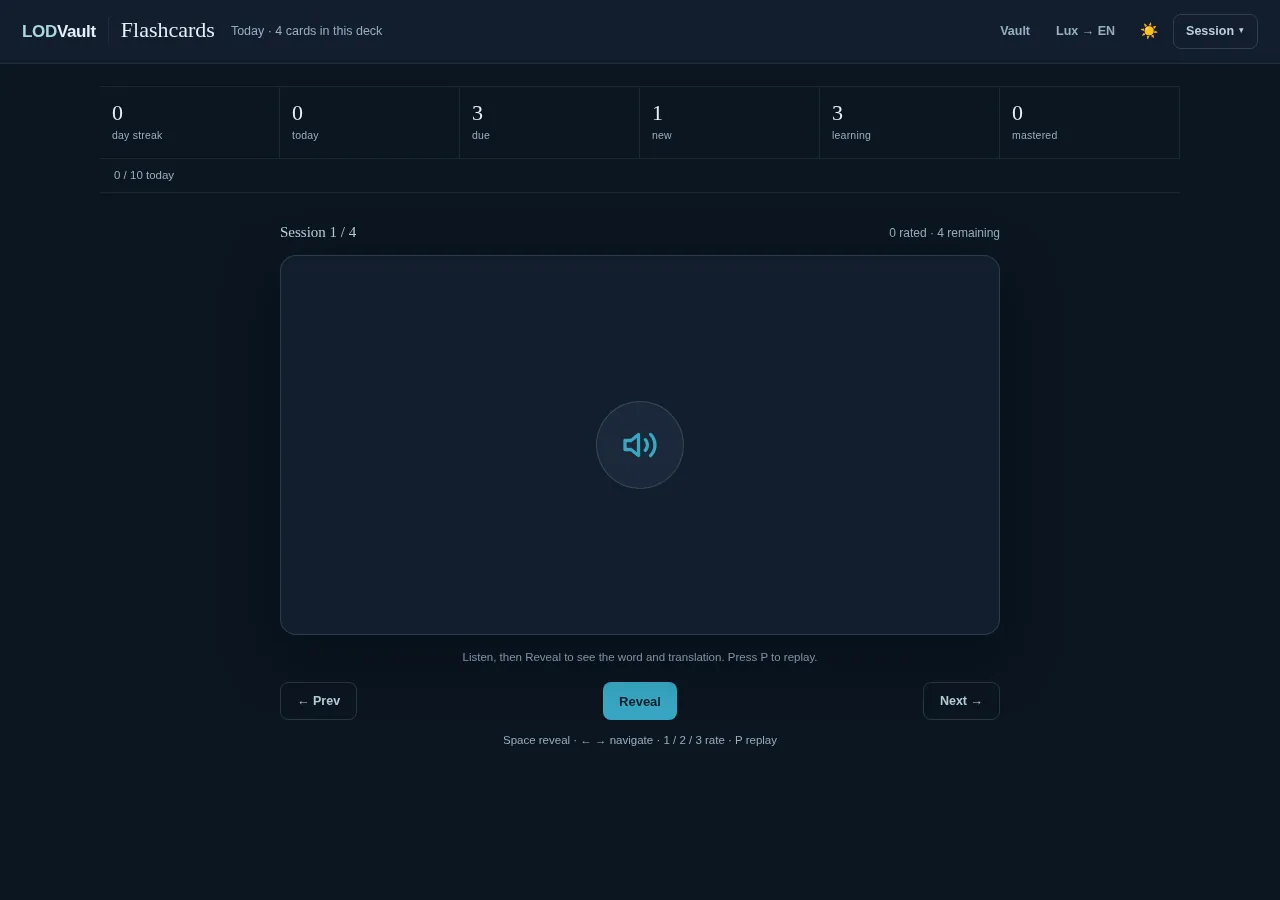
Listening mode
The card plays the word’s LOD pronunciation and hides everything else. Say what you heard, then press Space to reveal the word and its translations.
Tip: press P to hear it again.
Start in two minutes
It works in Chrome, Edge, Brave and other Chromium browsers. There is nothing to sign up for.
Add LODVault from the Chrome Web Store
Click Add to Chrome, then pin the extension so the popup is easy to reach.
Look up a word on lod.lu
Open any entry, for example goen. The LODVault bar appears under the heading.
Mark it for Study and add a note
Write down where you met the word: a lesson, a sign on the bus, a song. That note is what makes it stick later.
Review when the popup says words are due
Open the popup and press Start review. A few minutes a day is enough. You can turn on a daily reminder in the progress page.
Install from source instead
For developers, or to try a version that the store hasn’t reviewed yet. Make a JSON backup first if you’re switching from the store version.
git clone https://github.com/Mohammed-Ashour/lod-vault.git
cd lod-vault
npm install
npm test
Then open chrome://extensions, turn on Developer mode, choose Load unpacked and select the lod-vault folder.
Where your words go
- Stored
- In your browser. There’s no LODVault server and no account.
- Sent to lod.lu
- Your searches, the entries you open, text you look up with LOD Lens and requests for pronunciation audio. Saved entries are refreshed now and then. Notes are never sent.
- Sync
- Off unless you turn it on. Then your browser’s sync keeps a compact copy of your words, notes and progress.
- License
- MIT, version 2.5.0 in source.
Will I lose my words if I uninstall it?
Yes, Chrome can delete an extension’s data when you remove it, even with sync on. Before you uninstall or switch versions, open Stats & data in the popup and choose Backup JSON. You can restore that file later.
Why does it ask for extra permissions?
Only for optional features: a site where you use LOD Lens, your history if you choose Import history, and notifications if you turn on reminders. Each is asked for when you first use it.
Does it work on Firefox or Safari?
Not yet. It’s built for Chromium browsers: Chrome, Edge, Brave, Opera and Vivaldi.
Can I use my words in Anki?
Yes. In the Vault, choose Export, then Anki. You get a tab-separated file that Anki imports directly.
Is this the official LOD?
No. LODVault is an independent, open-source project built on top of LOD. The dictionary content belongs to LOD and its rights holders.
 LOD-MCP
 Audio-Sync